
MICROSOFT EXCEL FUNDAMENTALS LIVE ONLINE CLASS

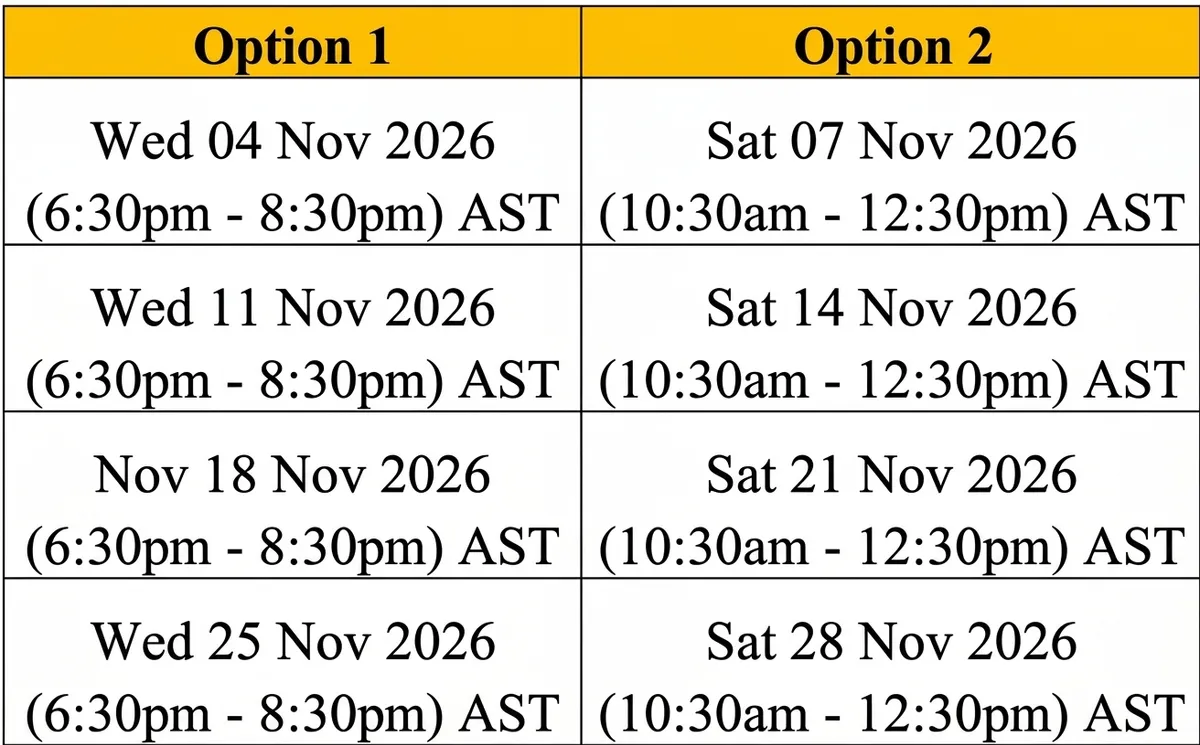
You Can Choose Either Schedule Option 1 or Option 2. The dates and times below the option make up the class schedule.
$649 TT ($95 US)
$1,000 TT ($147 US)

This course boosted my Excel skills and was worth every cent spent. Mr. Duncan is an expert professional and he made learning easy. The Instructions and guidance were clear and easy to follow. In-class exercises and homework further facilitated learning. I did both fundamentals and advanced classes and the knowledge gained was extensive. I am now ready to work smarter, not harder to analyze and deliver reports in record time. This has definitely improved productivity.-
Maureen Antoinette Hall
Mr. Duncan is an excellent Instructor. He speaks at a moderate pace and his diction is clear. Classes are interactive and the workbooks are both relatable and practical. Need to make robust business decisions in a timely manner? Connect with Mr. Duncan! -
Terry Schultz
Microsoft Excel Class was very informative. I was able to follow all the steps. Mr. Kerron Duncan was very clear in his explanation and points. Overall well explained. -
Michelle Felix-Solomon
HERE IS A SNEAK PEAK INTO WHAT YOU WILL LEARN:
Get familiar with the Excel interface and common features
Learn to write formulas and master core Excel functions the experts know to 10x your productivity
Quickly clean data using Flash Fill
Set up professional and stunning tables that people actually want to look at
Highlight important trends and figures with conditional formatting
Bring your data to life with eye-catching charts and graphs
CURRICULUM
SECTION 1: THE EXCEL INTERFACE & ENTERING DATA
Get to Know the Excel Interface
Understanding Cell References and Entering Data into Cells
Auto filling Data using Auto Fill
Modifying Your View in Excel
Finding and Replacing Data using the Find and Replace Menu
Finding Data using Go To Special
Finding Data using Hyperlinks
SECTION 2: APPLICATION OF ESSENTIAL FUNCTIONS
Understanding Formulas & Functions
Understanding the Structure of a Function
Extracting Parts of Text with RIGH, LEFT & MID
Fixing Text Case with UPPER, LOWER & PROPER
Remove Unwanted Spaces in Text Strings with TRIM
Joining Text with CONCATENATE or TEXTJOIN
LEN, SEARCH & FIND for Advance Text Manipulation
SECTION 3: PERFORMING OPERATIONS WITH FORMULAS AND FUNCTIONS
Key Concept: Relative, Absolute and Mixed Referencing
Introduction Into using IF
Using Defined Names and Ranges in Formulas
Creating, Modifying, Sorting and Filtering Tables
SECTION 4: ANALYSING AND VISUALIZING DATA USING CONDITIONAL FORMATTING, CHARTS & GRAPHS
Using Top Bottom Rules to Highlight Key Data
Using Highlight Cell Rules to Highlight Key Data
Data Bars, Color Scales & Icon Sets for Visualizing Data
Managing Conditional Formatting Rules
When and Why Should We Use Charts and How to Create Them
How to Determine the Right Chart based on Your Data
Modifying Chart Elements
Modifying Chart Design
WHAT STUDENTS SAY
This class was an integral part of my professional development aimed at enhancing my Excel proficiency and it did. A wide range of topics from basic formulas to advanced data techniques were taught that are now used in my daily routine to make my job easier. The sessions engaged all the participants through interactive demonstrations, exercises, and real-life examples. Additionally, the training materials were structured and easy to understand, ensuring that you understood what you were doing

I not only benefited greatly from this course but I truly enjoyed every minute of it! Kerron did a stellar job in teaching with clarity and simplicity. It's super easy to follow along and he is very motivating! Hands down one of the best instructors I have come across in Microsoft Excel, can't wait for the next course!

For anyone that is looking to learn how to use Microsoft Excel or to sharpen up your Excel skills, this is the course for you. After taking this course, I realize that I was absolutely dull when it came to my knowledge of excel, however; with Mr. Duncan being a great and thorough educator, his teachings and explanation of everything excel have helped me immensely

Mr. Duncan is truly an exceptional teacher. His patience, well-structured material, techniques, and clear explanations have greatly helped me become more confident and comfortable with Excel. I highly recommend all of Mr. Duncan’s Excel courses—you won’t regret it! My rating: 10++.



MEET YOUR INSTRUCTOR
Hey, I'm Kerron Duncan!

Kerron Duncan has trained State and Corporate organisations globally.






Kerron Duncan leads Excel Galaxy - a CPD accredited institution.

I founded Excel Galaxy as I wanted a way to make a living while sharing knowledge I'm passionate about. An added bonus to this is that I get the joy of enhancing the quality of my students' lives. Whether its helping them negotiate a better salary, get the promotion they've wanted or just significantly boost their productivity I'm glad I founded Excel Galaxy.
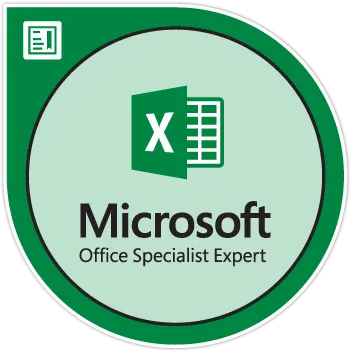
I am certified by Microsoft as a Microsoft Excel Expert and possess extensive experience as a teacher and presenter. I've had the pleasure of teaching people all over the world to master Microsoft Excel.
Hope to see you in one of my classes!
Class Requirements
For this class you will need:
Microsoft Excel on a laptop or desktop computer. Microsoft Excel version 2013 and above is best suited. You can do the course with older versions of Excel but some features may not be available.
Zoom installed on a laptop or desktop computer.
Frequently Asked Questions
Is this class for beginners?
Yes, this class is designed specifically for beginners. If you have ever opened Excel and you know what rows and columns are you are a good fit for this class.
Will I get a certificate?
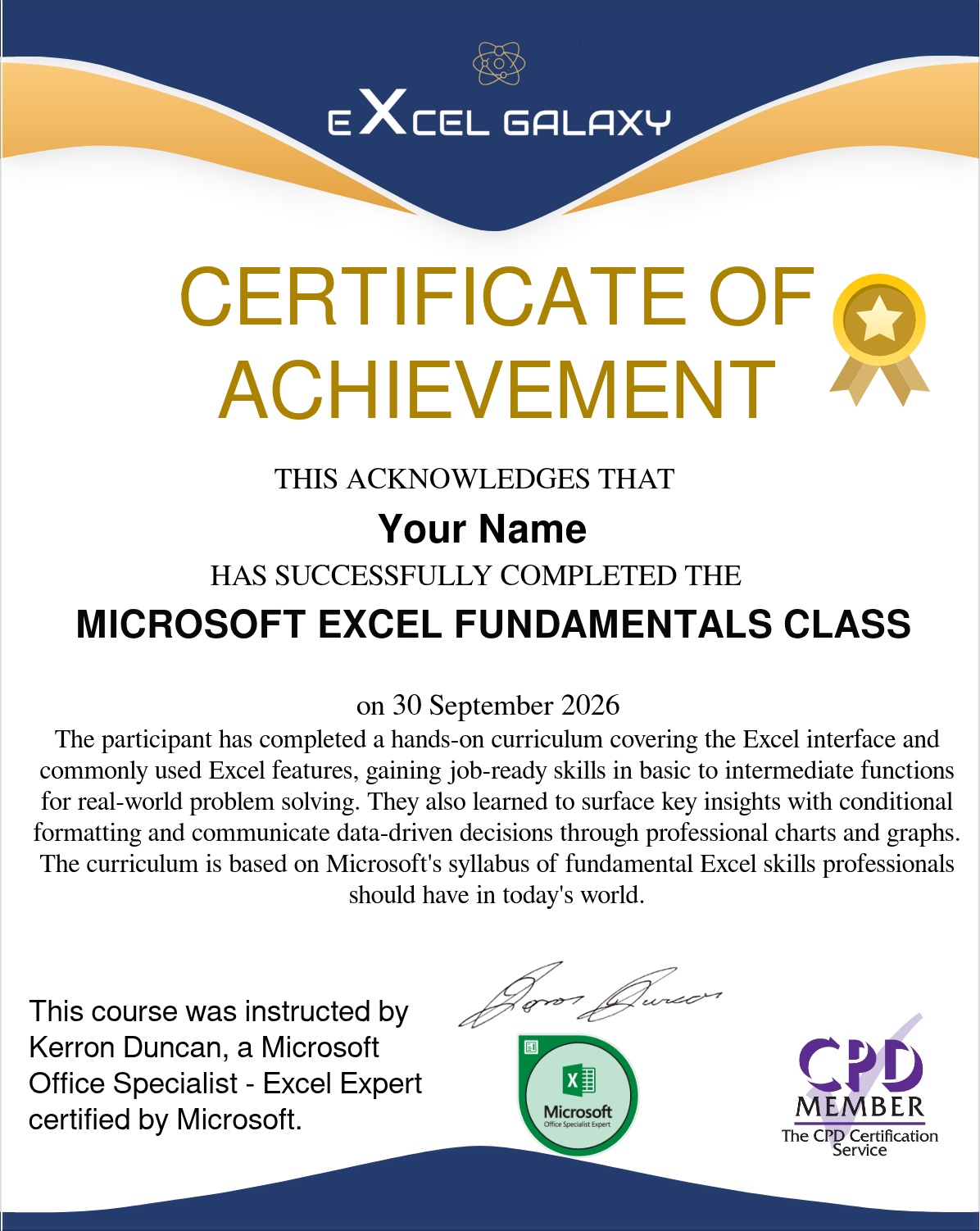
Yes, participants that complete the course receive a certificate of achievement verifying their accomplishment.
Stop putting it off. It's time for you to claim this certificate.
You Can Choose Either Schedule Option 1 or Option 2. The dates and times below the option make up the class schedule.